WPM Mini
A typing test that lives in your menu bar. Measures not just how fast you type, but how steadily.
Overview
Most typing tests are websites. You open a tab, get pulled into something else, and forget why you were there.
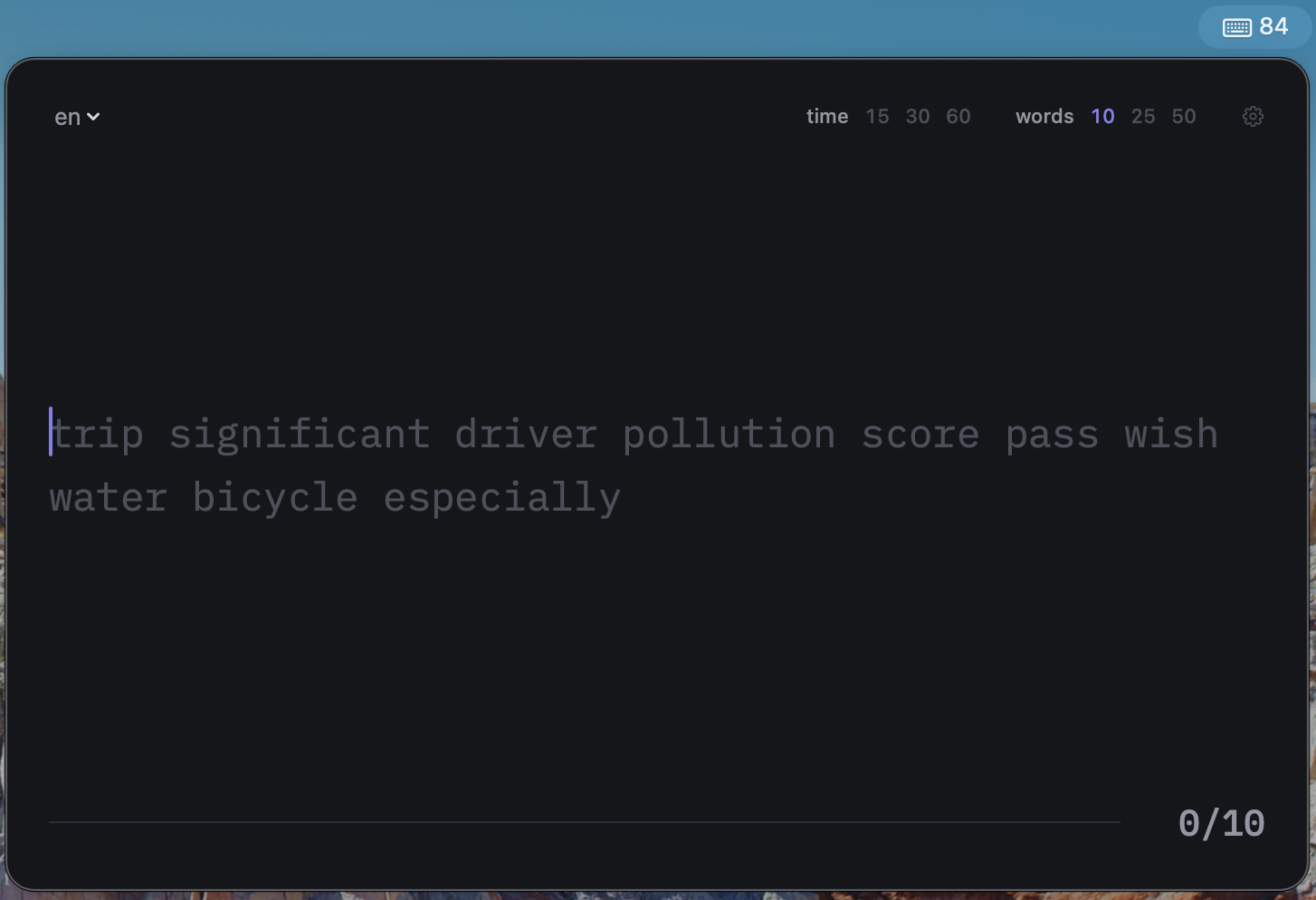
WPM Mini is a menu bar app. Click the icon, type the words, read your result — then it disappears. No window to manage, no Dock icon, no account, and no network requests of any kind. It opens in an instant because nothing runs in the background between tests.
Key Features
Measurement That Means Something
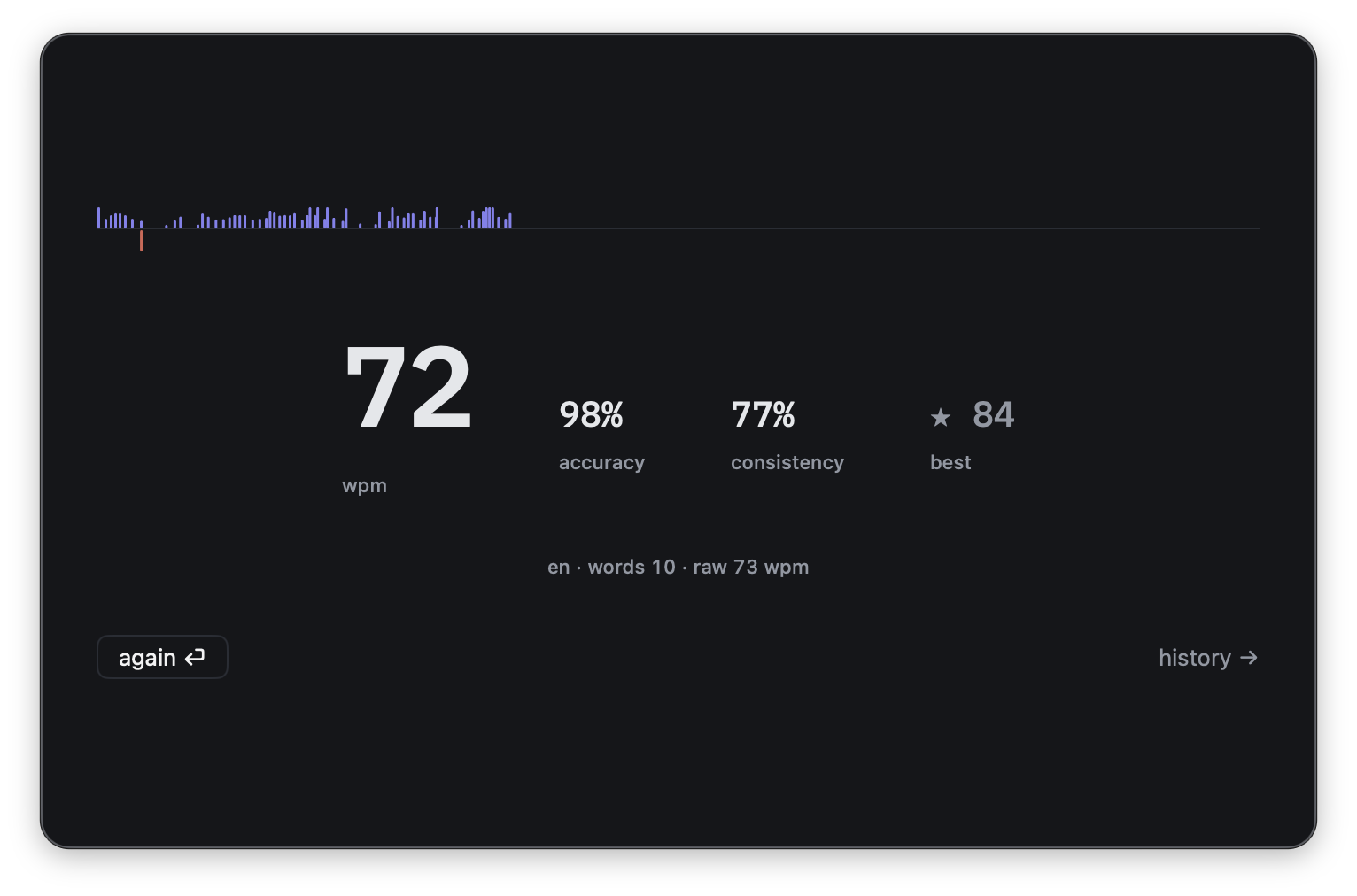
Every test reports net WPM, raw WPM, accuracy and consistency. Consistency is derived from the variance in your keystroke timing, so you can finally see the difference between typing a steady 70 WPM and reaching 70 in nervous bursts.
A rhythm strip draws your cadence live as you type, then freezes on the result screen as the fingerprint of that run — the hesitations, the bursts, and the word that tripped you.
Progress You Can Actually Track
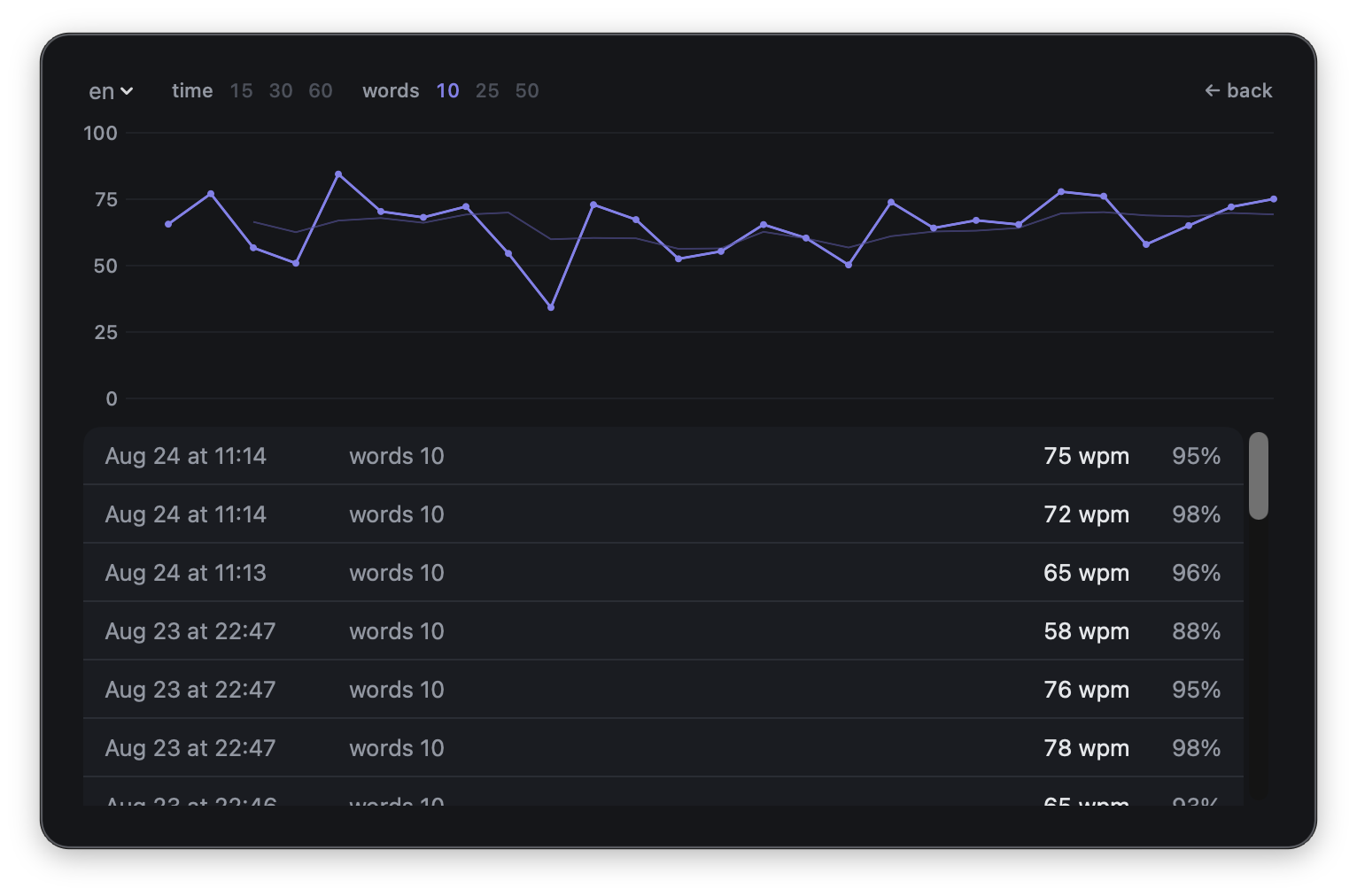
The history screen charts your last 30 tests with a moving average, so the trend shows through the noise of individual runs.
Results are never mixed together: a 15-second run is charted separately from a 60-second one, and English separately from Turkish. Personal bests follow the same rule, and only count when accuracy was at least 90% — no records set by mashing keys.
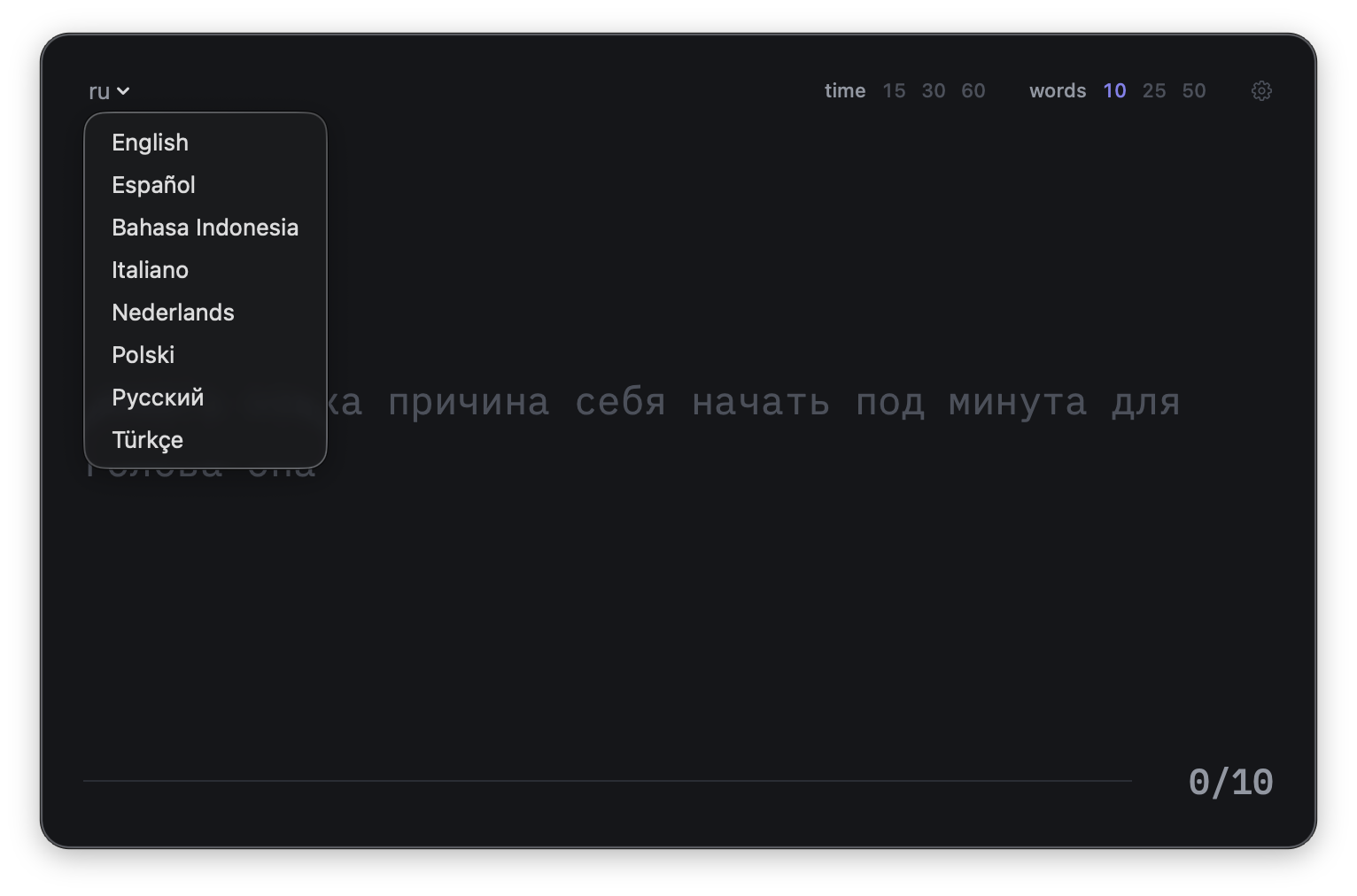
Eight Languages on a Real Grid
English, Turkish, Spanish, Italian, Dutch, Polish, Russian and Indonesian. Typing is captured through a real text view rather than raw key events, so dead keys, accents and non-US keyboard layouts behave the way they should — ğ, ż, é and щ are all first-class.
The typing surface is set in IBM Plex Mono on a fixed monospace grid, so the caret never drifts and letters never reflow under your fingers mid-word.
Technical Details
WPM Mini is built natively for macOS with Swift and SwiftUI. The typing engine and the persistence layer are separate Swift packages with no UI dependencies, which keeps the measurement logic testable and honest.
Speed is easy to measure. Consistency is what's worth improving.
Every typing test hands you a WPM number. Very few tell you anything about how you arrived at it — and that is the part you can actually train.
WPM Mini records the timing of every keystroke, so the result is a shape rather than a single figure. Two runs at the same speed look completely different when one was even and the other came in bursts. Watching that shape settle down over weeks is far more useful than watching a number creep upward, and it is the reason the app keeps history per language and per test length instead of averaging everything into one meaningless line.
Everything is driven from the keyboard, because reaching for the mouse during a typing test is absurd: ⌘R for a new test, ⏎ to restart, → for history, ⌘, for settings, esc to dismiss.
Special Thanks
WPM Mini sets its typing surface in IBM Plex Mono, released by IBM under the SIL Open Font License. Its exact 0.6 em advance width is what makes the caret sit perfectly on the grid in every language the app supports.
Support
Found a bug, or want a language added? There is a Send feedback button in the app's settings that opens a pre-filled email, or you can write to me directly at [email protected]. I read everything.
Privacy & Data
Your privacy is important to me. WPM Mini has no network access whatsoever — it makes no requests of any kind. Your results are stored locally on your Mac in the app's sandbox and never leave it. Nothing is collected, nothing is transmitted, and there is nothing to opt out of. You can delete all history at any time from Settings.
Read Full Privacy Policy